Smart prompt detection
Recognizes the interaction prompt and holds the configured key for the exact duration.
NoNi BID is a Windows automation tool created specifically for the Roblox game Storage Hunter. It detects, reads and reacts to the game's auction interface with consistent visual timing.
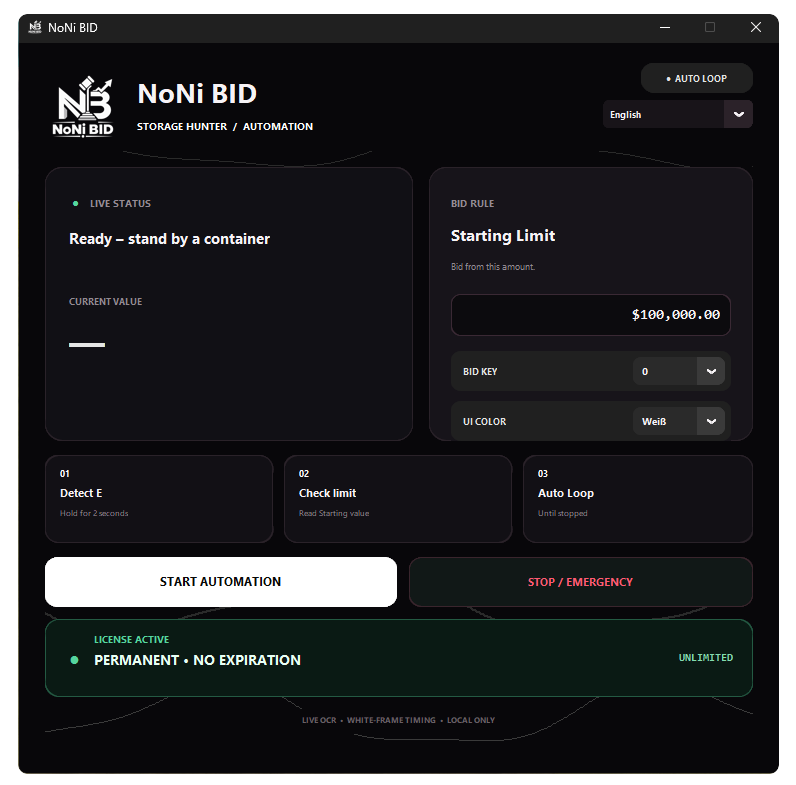
NoNi BID brings detection, timing and control into one clean desktop interface.
Recognizes the interaction prompt and holds the configured key for the exact duration.
Watches the BID frame and reacts at the intended visual timing instead of flooding inputs.
Reads and updates the current auction value while the bidding sequence is active.
Choose your bid key, starting limit, interface language and color theme.
Every license is activated online and linked to the first device that uses it.
Keeps watching for the next auction until you press the emergency stop button.
Get the latest NoNi BID release from this page.
Enter the license key supplied with your purchase.
Set your limit, key, language and visual theme.
Stand near the interaction point and start the automation.
The download will be added as soon as the final Windows build is ready.
NoNi BID uses Tesseract to read auction values. Install the 64-bit Windows build, then restart NoNi BID.
A Windows utility that watches selected on-screen auction elements and performs configured keyboard actions.
No. A license is linked to the first computer that activates it. Device changes require an authorized reset.
Yes. Your selected interface color is stored locally and restored when the application opens.
A direct support channel and troubleshooting guide will be added in a future update.